
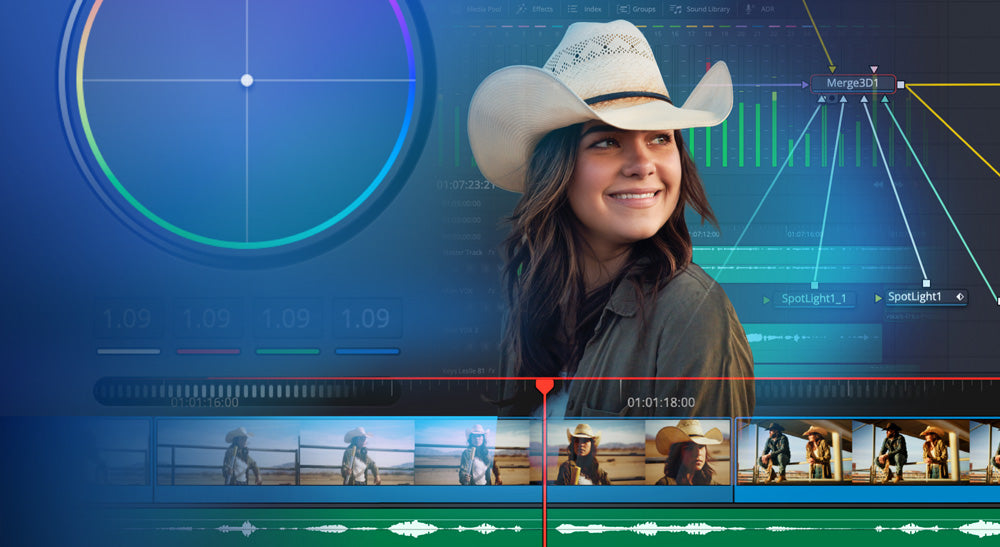
Blackmagic Design has released DaVinci Resolve 21.1, and it is free to download today. It is a bigger update than the point-number suggests: AI assistant integration, wider camera support on the Photo page, reworked multi-cam tools, and more than 100 improvements across editing and grading.
Here is what actually matters if you cut, grade or finish for a living.
You can now hand the boring jobs to an AI assistant
This is the headline feature, and it is unusual. Resolve 21.1 supports integration with AI assistants including Claude, Claude Code and ChatGPT Codex. Rather than clicking through the same repetitive steps, you can describe what you want in ordinary language.
Blackmagic's examples are the obvious ones: analyse a project, organise media, adjust settings, batch render. The more interesting case is asking for a highlight edit from long-form footage, or having unwanted clips pulled and deliverables rendered while you get on with something else.
If you shoot events, weddings, corporate or anything else with hours of footage and a tight turnaround, this is the sort of feature that quietly gives you an afternoon back. There are also 20 new scripting APIs with console support, so anyone already automating their workflow has more to work with.
Photographers get a much better deal
The Photo page now reads a considerably wider range of camera formats natively — Fujifilm GFX and X series, Leica SL, and Sony A7R V1 — so there is no conversion step before you start.
Image settings on the Photo page can now be adjusted using Resolve colour panels, including the Micro Color Panel. Grading stills with actual hardware rather than a mouse is a genuine workflow change. ResolveFX sky replacement has also been extended to stills on the Color page.
Multi-cam has had a proper pass
If you cut concerts, sport or live events, this is the section to read:
- A timeline viewer multi-cam mode button, so you stop losing your place when previewing media pool clips
- Keyboard shortcuts for up to 25 multi-cam angles, and track selection across 32 tracks
- Multi-cam clips can now split at timecode gaps, which makes syncing real-world multi-camera footage far quicker
- Audio waveforms scale automatically to fill track height, so you can read levels across clips recorded at different volumes
Colour: independent HDR trims
Multimaster trim now supports individual trim passes for Dolby Vision, HDR10+ and HDR Vivid rather than sharing one common trim. If you deliver multiple HDR formats, you can finally fine-tune each without compromising the others. Output sizing can be overridden per trim, and each trim caches separately, so switching between deliverables no longer triggers a long re-cache.
Colour management has widened too, with GoPro Log, Leica L-Log, DJI D-Gamut2 and D-Log2, and Vivo Wide Gamut and Log all supported natively.
Fusion and the rest
Fusion gains over 25 new Krokodove tools for 3D and shape work, including Connect 3D, Heightfield Create 3D and Tube Create 3D. The macro editor now loads macros directly from DRFX bundles with automatic detection.
Elsewhere: markers can be exported as a PDF report for sharing notes with clients, the inspector supports presets, project archives can include only used media, and format support adds GPU-accelerated HTJ2K decoding plus hardware-accelerated HEIC on Apple Silicon. NVIDIA RTX Spark systems are supported on Windows.
Free or Studio — which do you actually need?
DaVinci Resolve 21.1 is free. Not a trial, not feature-crippled for casual use — the free version is a complete editing, colour and audio application, and for a great many people it is genuinely all they need. We would rather say that plainly than sell you something you will not use.
DaVinci Resolve Studio earns its place when you need noise reduction, the full ResolveFX and Fairlight FX sets, HDR grading tools, multi-user collaboration, and higher resolution and frame rate support for professional delivery.
Studio is A$435 including GST from mediaTITANS — a one-off purchase, not a subscription. The licence is yours permanently and includes future updates at no extra cost, 21.1 included.
You can buy it as an activation code delivered by email, on disk, or with a USB dongle if the licence needs to move between shared machines — which is how most teaching labs and edit suites run it.
Getting it
Download DaVinci Resolve 21.1 free from Blackmagic Design's website. If you are upgrading to Studio, or licensing seats for a team or teaching lab, have a look at our Resolve Studio page — we are an Australian authorised Blackmagic Design reseller, we supply on purchase order, and quotes come back within one business day.
Questions about which version fits your workflow? Email sales@mediatitans.com.au and we will give you a straight answer.