
⏱ 4 min read
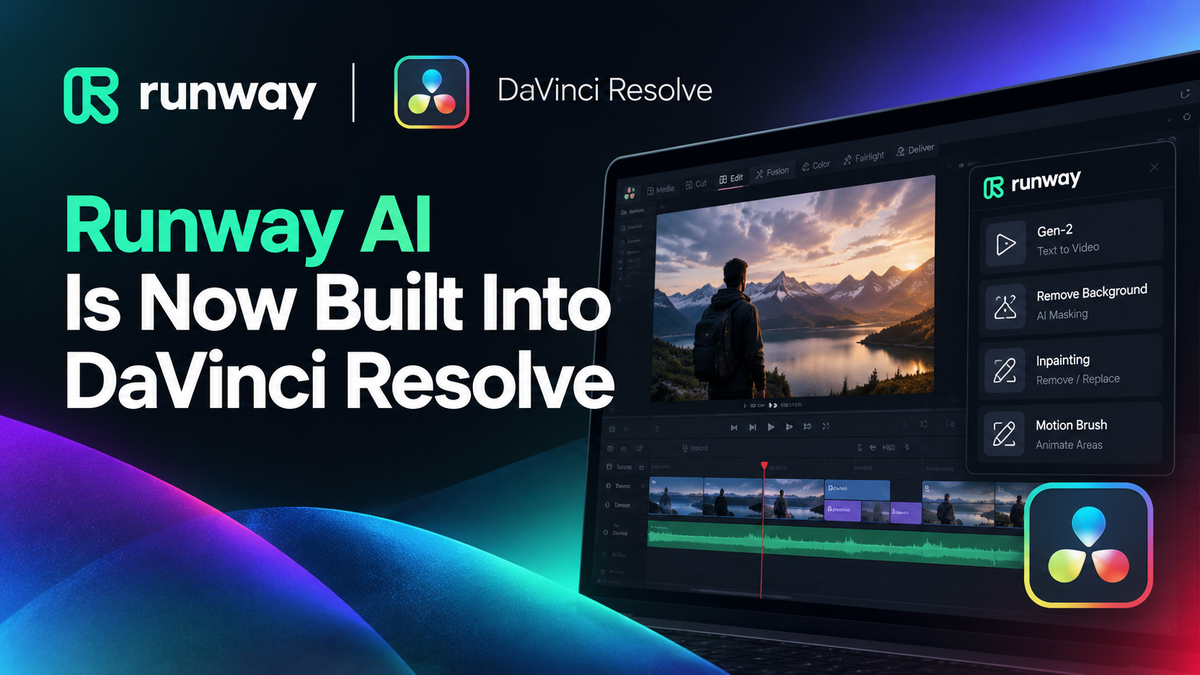
Artificial intelligence has been reshaping video production for a while now, but the integration of Runway directly into DaVinci Resolve marks a genuinely significant moment. Rather than toggling between apps, exporting clips, waiting for processing, and reimporting — you can now access Runway's powerful generative AI tools from right inside your editing and colour grading timeline. For filmmakers, content creators and production houses, this is the kind of workflow upgrade that actually saves real hours on real projects.
What Is Runway, and Why Does It Matter Inside Resolve?
Runway has built a strong reputation as one of the most capable AI video generation and manipulation platforms available. Its tools let you do things like generate video from text prompts, remove backgrounds without green screens, extend footage, and apply sophisticated visual effects that would previously have required a dedicated VFX team or expensive third-party software.
The critical word here is inside. Having Runway embedded in DaVinci Resolve means you're not disrupting your edit to jump into a browser-based tool. You stay in your project, your timeline, your colour session. For anyone who has worked in post-production, you'll know how much mental overhead is lost every time you break your flow to switch contexts. This integration eliminates a big chunk of that friction.
If you haven't yet upgraded from the free version of Resolve, this is another compelling reason to consider DaVinci Resolve Studio — the full-featured professional version that unlocks the deeper toolset where integrations like this can truly shine.
Practical Use Cases for Creators and Productions
Think about what this actually unlocks in a day-to-day production environment:
- Corporate video producers can use AI background replacement or scene extension without booking a studio for reshoots
- YouTubers and social media creators can generate b-roll or visual elements on the fly, keeping production lean
- Documentary filmmakers can use AI tools to restore or extend archival footage
- Schools and colleges teaching digital media production now have a genuinely industry-relevant workflow to put in front of students
That last point is worth dwelling on. If you're running a creative media programme and want students working with the same tools used in professional post-production, this combination of Runway and DaVinci Resolve is about as current as it gets. mediaTITANS supports schools and colleges with volume licensing and bulk purchasing — worth exploring the education options if you're equipping a teaching lab or student production suite.
How Do You Get DaVinci Resolve Studio?
DaVinci Resolve Studio is a one-off purchase with no subscription. When you buy it from mediaTITANS, your genuine Blackmagic Design activation code is emailed automatically, usually within 10 minutes of your order, day or night. There's no card in the post and no shipping to wait for.
Every licence also comes with our AI guide free: a practical handbook for using Claude and ChatGPT with DaVinci Resolve, including ready-to-run scripts that automate everyday editing jobs.
Getting the Most Out of This Integration
To use Runway inside DaVinci Resolve, you'll need an active Runway subscription alongside the Studio version of the software. The free version of DaVinci Resolve is an extraordinary tool, but the Studio licence is what gives you access to the full suite of features, GPU acceleration options, and third-party integrations that make a professional workflow possible.
Once you're set up, take time to explore what Runway can do beyond the obvious. The generative video and inpainting tools are headline features, but the ability to isolate subjects, manipulate motion, and extend scenes quietly transforms what's possible even on modest production budgets.
The Bottom Line
The Runway integration in DaVinci Resolve is the kind of development that makes you reassess what a small or mid-sized production can achieve without additional crew or expensive software stacks. It's a genuine workflow improvement, not just a feature checkbox.
If you're ready to take advantage of it, buy DaVinci Resolve Studio from mediaTITANS, an authorised Blackmagic Design reseller. Your activation code is emailed within minutes and the AI guide is included free.
Free Download
DaVinci Resolve: Free vs Studio
Get the complete 2026 comparison guide. Find out exactly what you get with the free version, what Studio unlocks, and whether the upgrade is worth it for your work.
📄 Get the Free Guide →