
⏱ 4 min read
Apple Boosts Final Cut Pro — But Can It Really Compete With DaVinci Resolve?
Apple has never been shy about updating Final Cut Pro, and the latest round of improvements has the editing community talking. Faster rendering, refined magnetic timeline features, and tighter integration with Apple Silicon have all made headlines. But for serious video professionals, the real question remains: does any of this close the gap with DaVinci Resolve?
The short answer is: not quite. Here's why.
What Apple's Update Actually Brings to the Table
The latest Final Cut Pro enhancements are genuinely impressive for a certain kind of editor — particularly those working in a tight Apple ecosystem, cutting event videos or YouTube content on a single machine. Apple has leaned hard into its hardware advantages, squeezing remarkable performance out of M-series chips for proxy workflows and multicam editing.
But impressive performance on Apple hardware is a ceiling, not a floor. Final Cut Pro remains a Mac-only application, locking out Windows and Linux users entirely. It also lacks the collaborative, node-based colour grading pipeline that studios have come to rely on. For schools, production houses and broadcast teams working across mixed environments, that exclusivity is a genuine limitation.
Where DaVinci Resolve Wins — and It's Not Close
DaVinci Resolve was built from the ground up as a professional colour grading system, and that heritage shows in every corner of the software. The Colour page alone offers a depth of tooling — primary wheels, curves, qualifiers, node trees, HDR grading, and the extraordinary DaVinci Neural Engine — that Final Cut Pro simply doesn't attempt to match.
Then there's Fairlight, the fully integrated professional audio suite. There's Fusion, a broadcast-grade compositing environment. There's the Cut page for fast assembly alongside the full Edit page for precision work. DaVinci Resolve Studio isn't just a video editor; it's an entire post-production ecosystem in a single application.
For anyone seriously weighing up their options, DaVinci Resolve Studio packs a professional colour, audio, and VFX pipeline into one licence — with no subscription attached.
The Subscription Question Nobody Can Ignore
Final Cut Pro now operates on a subscription model for new users, which means ongoing costs that compound year after year. That's a legitimate concern for sole traders, freelancers, and educational institutions managing tight budgets.
DaVinci Resolve Studio, by contrast, is a one-off purchase. Buy it once, and it's yours. No monthly fees, no annual renewal, no surprise price increases. For teaching labs and student cohorts in particular, that total cost of ownership is vastly more attractive — and education pricing and bulk purchasing are available through mediaTITANS on purchase order, making it even more accessible for institutions.
Cross-Platform, Collaborative, and Built for Teams
One of DaVinci Resolve's most underappreciated strengths is platform parity. The same software runs on macOS, Windows, and Linux — meaning a facility doesn't need to standardise on Apple hardware to build a consistent pipeline. A colourist on a Linux workstation can hand off to an editor on Windows without any compatibility headaches.
The collaborative workflow tools in DaVinci Resolve Studio also go well beyond anything Final Cut Pro offers. Multiple editors, colourists, and audio engineers can work on the same project simultaneously, in real time, using DaVinci Resolve's built-in collaboration features and a shared database. Apple has nothing comparable.
How Do You Buy DaVinci Resolve Studio?
Simply place your order through an authorised Blackmagic Design reseller, and your activation code arrives by email — typically within ten minutes, automatically, day or night. No physical media, no waiting for a box in the post. The licence is yours immediately.
Every licence purchased from mediaTITANS also includes a free AI guide — a practical handbook for using Claude and ChatGPT alongside DaVinci Resolve, complete with ready-to-run scripts that genuinely speed up your workflow.
The Verdict
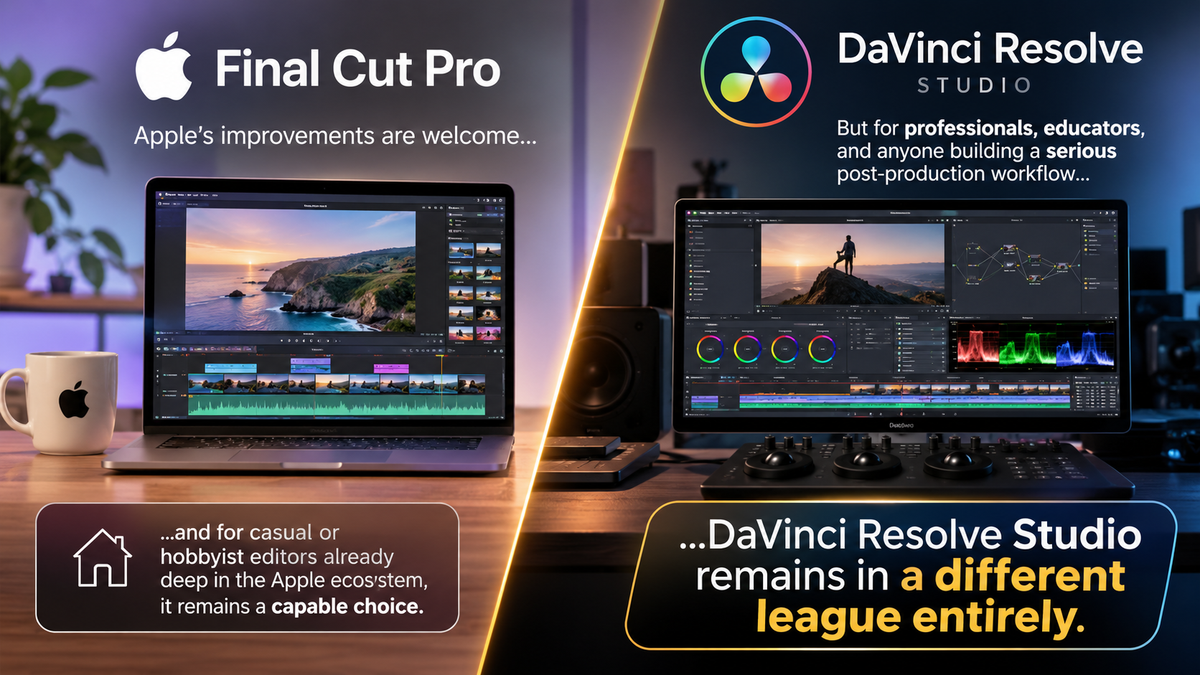
Apple's improvements to Final Cut Pro are welcome, and for casual or hobbyist editors already deep in the Apple ecosystem, it remains a capable choice. But for professionals, educators, and anyone building a serious post-production workflow, DaVinci Resolve Studio remains in a different league entirely.
If you're ready to make the switch — or upgrade for the first time — buy DaVinci Resolve Studio from mediaTITANS and have your activation code in your inbox within minutes.
Free Download
DaVinci Resolve: Free vs Studio
Get the complete 2026 comparison guide. Find out exactly what you get with the free version, what Studio unlocks, and whether the upgrade is worth it for your work.
📄 Get the Free Guide →